High Bounce Rates in Cold Email: How to Fix Them
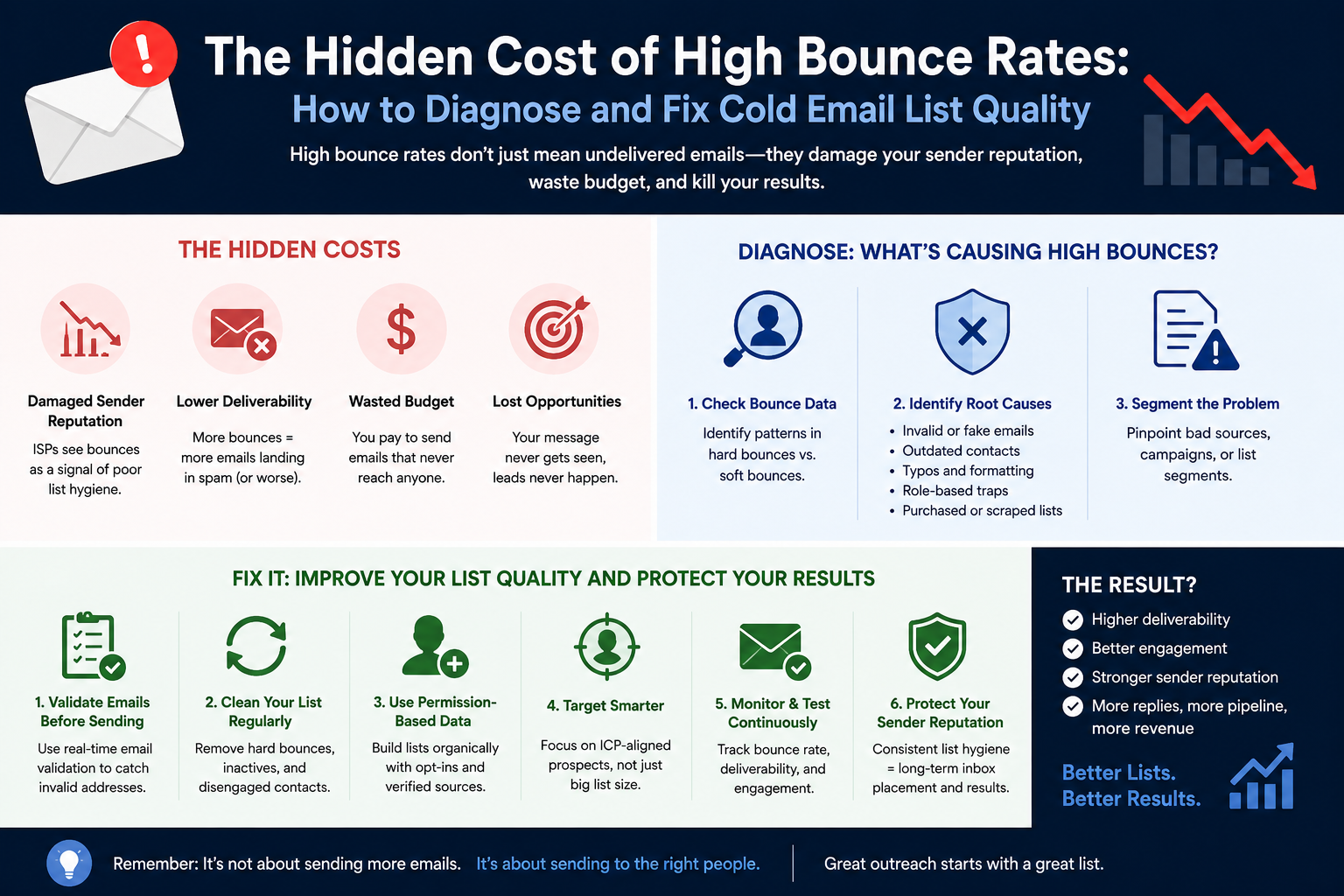
High Bounce Rates Are Killing Your Pipeline — Here's How to Fix Them
Your copy isn't the problem. Your list is. A bounce rate creeping above 2% doesn't just mean lost sends — it tells Gmail and Outlook that you're a sloppy sender, and they'll treat every future email accordingly.
A Bounce Rate Above 2% Is a Reputation Emergency
Bounce rate benchmarks aren't arbitrary. Under 1% is excellent — it signals tight list hygiene and responsible sending. Between 1% and 2% is healthy but worth watching. Hit 2%–3% and you need to investigate immediately. Above 3%, you're already doing reputation damage that will outlast the campaign that caused it.
The reason this matters so much is that mailbox providers don't just log failed deliveries — they interpret them. A hard bounce tells Google or Microsoft that you sent to an address that doesn't exist, which suggests you're using purchased lists, skipping verification, or ignoring basic data hygiene. None of those interpretations help your sender trust score.
The damage also compounds. High bounce rates this week lead to more aggressive spam filtering next week. You won't necessarily see a sudden block — you'll just notice your reply rates quietly dying as more of your emails route to spam folders. By the time it's obvious, you've already burned through weeks of sending capacity and reputation you'll have to rebuild from scratch.
Hard Bounces vs. Soft Bounces: Know Which One Is Killing You
Not all bounces are equal, and treating them the same is a common mistake that costs senders badly.
A hard bounce is a permanent delivery failure. The mailbox doesn't exist, the domain is invalid, or the recipient server has permanently rejected the message. There's no retry that fixes this. When you send to a hard-bouncing address more than once, you're not just wasting a send — you're signaling to mailbox providers that you don't clean your lists.
A soft bounce is a temporary failure. The recipient's mailbox is full, the server is down, or a size limit was exceeded. These can resolve on their own, and occasional soft bounces don't carry the same reputation weight as hard bounces. Monitor them for patterns, but a handful of soft bounces on a large campaign isn't a crisis.
The practical rule: remove hard-bouncing addresses from every future campaign the moment you identify them. No exceptions. Retrying them doesn't improve your chances of delivery — it just tells providers you're not paying attention.
The Three Root Causes SDRs Almost Always Overlook
Most bounce problems aren't mysterious. They trace back to a short list of avoidable mistakes.
Skipping verification is the fastest way to spike your bounce rate. Exporting a list from Apollo or any other tool and launching a campaign without running it through a verification step is how you go from a healthy 0.5% bounce rate to a dangerous 4% in a single send. Even reputable data providers ship some percentage of outdated records — that's not a knock on the tools, it's just how contact data decays.
Over-relying on catch-all domains without separating them is the second major culprit. A catch-all domain accepts email for any address — real or not — so verification tools can't confirm whether the mailbox actually exists. Senders who mix catch-all leads with verified leads in the same campaign often can't figure out where their bounces are coming from until the damage is done.
Stale data is the third issue. [Unverified] Lists older than 3–6 months carry meaningful invalid-address risk as people change jobs, get laid off, or have accounts deactivated. The older the list, the higher the probability you're mailing addresses that no longer work.
Fix #1: Verify Every Prospect Before They Hit a Campaign
Verification isn't optional — it's the foundation of list hygiene. Every prospect should be classified before they enter a campaign sequence, full stop.
Most verification tools sort contacts into three buckets:
| Classification | What It Means | What to Do |
|---|---|---|
| Valid | Mailbox confirmed deliverable | Safe to send |
| Invalid | Address doesn't exist or is unreachable | Remove immediately |
| Catch-All | Domain accepts everything — mailbox status unknown | Separate campaign, lower volume |
Invalid addresses generate hard bounces with zero upside. There's no revenue case for keeping them. Strip them before a single email goes out.
Catch-all addresses are a separate risk tier, not a confirmed-deliverable bucket. Treating them like verified valid leads is how catch-alls end up contaminating your bounce rate and reputation in the same campaign. When pulling lists from tools like Apollo, check verification status during the filtering step — don't assume the export is clean.
Fix #2: Quarantine Catch-All Leads in Their Own Campaign
Catch-all domains are a volume question, not a yes-or-no question. Many legitimate prospects sit on catch-all domains, particularly in certain industries, so excluding them entirely can cut your addressable market significantly. The answer isn't to avoid them — it's to manage them separately.
Running catch-all leads alongside verified leads in the same campaign creates two problems. First, it elevates your overall bounce risk because some of those catch-all addresses will turn out not to exist. Second, when bounces do spike, you can't tell whether the problem is your verified data or your catch-alls. You're flying blind.
The fix is straightforward: create a dedicated lower-volume campaign for catch-all leads and monitor its bounce rate independently. Start conservatively — lower daily volume than your primary campaigns — and watch the numbers closely. If bounce rates on the catch-all campaign start climbing, reduce volume before it accumulates enough damage to affect your domain's broader reputation.
This segmentation also makes reporting cleaner. You'll know exactly how your verified list performs versus your catch-all segment, which helps you make smarter decisions about which data sources are worth paying for.
Fix #3: Follow the 6-Step Recovery Plan If You're Already in Trouble
If your bounce rate is already above 3%, the priority is stopping the bleeding before you start optimizing. Here's the sequence:
- Stop scaling. Adding volume while bounces are elevated accelerates reputation damage. Freeze any planned increases immediately.
- Audit and re-verify your prospect list. Remove every hard-bouncing address. Don't just flag them — delete them from future sends entirely.
- Review your bounce messages. There's a difference between "mailbox does not exist" and "policy rejection." The former is a data quality problem; the latter might point to an infrastructure or authentication issue.
- Reduce daily sending volume. Pull back to a level where your bounce rate falls below 2% and let reputation stabilize before you ramp back up.
- Confirm SPF, DKIM, and DMARC are all passing. Infrastructure failures can produce bounce-like symptoms that look like list problems. Authentication issues need to be ruled out before you conclude the problem is purely your data. Note that mailbox providers like Google and Microsoft don't publish specific bounce rate thresholds that trigger penalties — they evaluate bounce rates alongside authentication, engagement, and complaint signals together.
- Track across multiple campaigns before declaring recovery. A single send with a clean bounce rate doesn't mean you're fixed. Monitor bounce rate, inbox placement, and reply rate across several campaigns before scaling again.
Recovery is slower than damage. It's significantly easier to maintain a healthy bounce rate than to rebuild a reputation after sustained high bounces — which is why the best version of this plan is the one you never need.
Next Steps
Use this checklist before your next campaign launch:
- Run every prospect list through email verification before importing
- Remove all invalid addresses — no exceptions
- Separate catch-all leads into a dedicated, lower-volume campaign
- Confirm SPF, DKIM, and DMARC are passing on all sending domains
- Check current bounce rate across active campaigns — flag anything above 1.5%
- Set a bounce rate alert so you catch problems before they compound
- If bounce rate is above 3%, pause scaling and start the 6-step recovery process immediately
XemailCampaign's built-in warmup and deliverability monitoring runs in the background so you can spot bounce rate trends before they turn into reputation emergencies. Start your free trial and get your sending infrastructure healthy before your next campaign goes out.