Cold Email Infrastructure: Build It to Scale
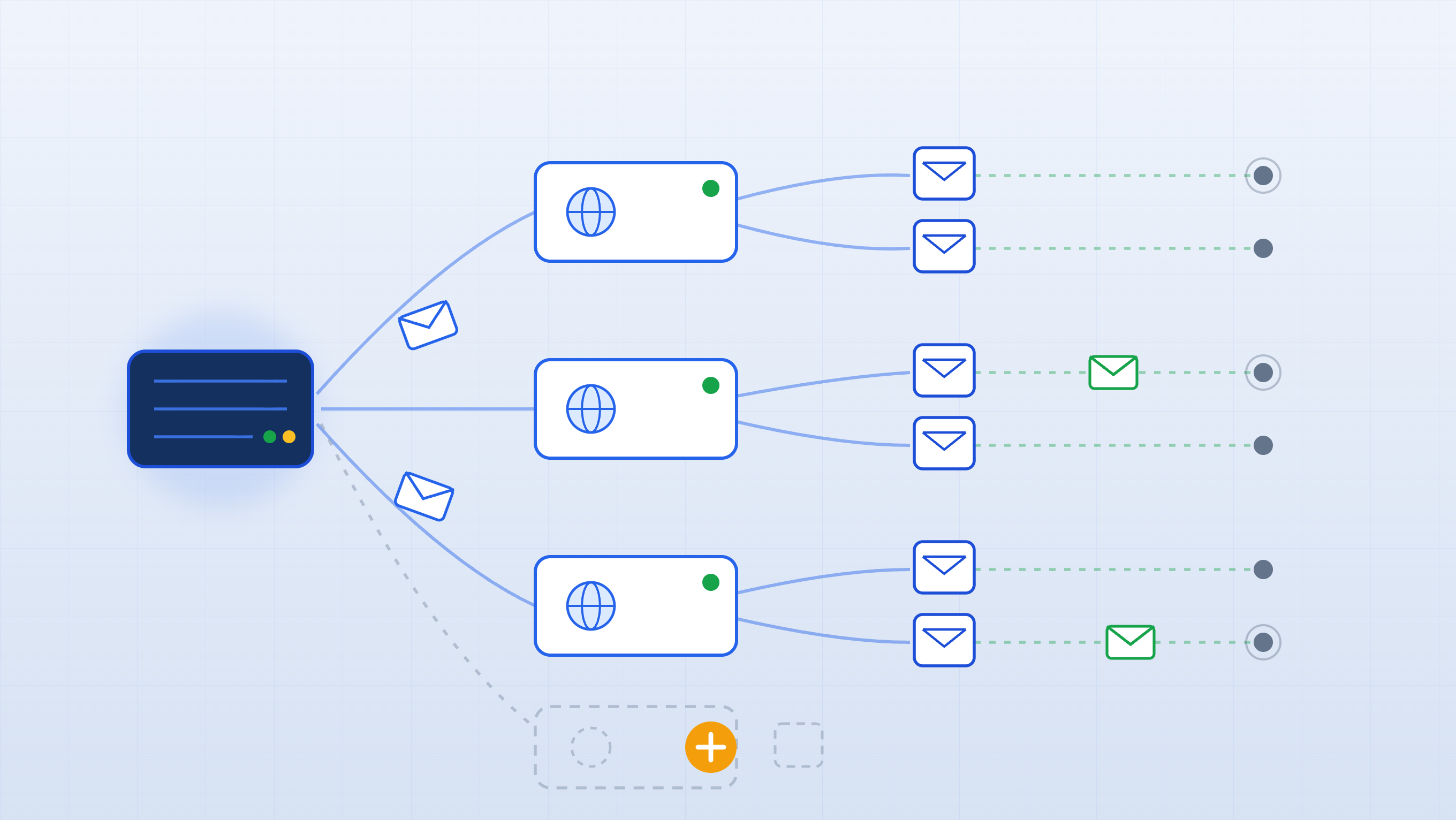
How to Build Cold Email Infrastructure That Scales
Most SDRs blame their copy when reply rates tank. Nine times out of ten, the real problem is sitting in their DNS records or their sending setup. Get your infrastructure right before you write a single subject line it's the foundation everything else depends on.
Why Your Infrastructure Is the Real Deliverability Bottleneck
When deliverability breaks down, the instinct is to rewrite the opener or try a new subject line. But if your domain reputation is damaged or your mailboxes have no sending history, better copy won't save you. Mailbox providers have already made up their mind before your prospect reads a word.
Running multiple campaigns off a single domain is one of the most common infrastructure mistakes in cold email. It creates a single point of failure: one underperforming campaign high bounces, a spike in spam complaints, a poorly targeted list can drag down inbox placement for every other campaign on that domain. There's no isolation.
Getting the infrastructure right before you launch saves weeks of painful troubleshooting later. It's not glamorous work, but it's the difference between a program that scales and one that plateaus at 200 prospects.
Never Send Cold Email From Your Main Domain
Your root domain the one on your website, your contracts, your customer support emails is too valuable to risk on cold outreach. A single bad campaign that generates spam complaints can hurt inbox placement for emails your customers are actually waiting for. The stakes are too high.
The fix is simple: buy secondary domains for outbound. If your company is acme.com, run cold email from acmehq.com, tryacme.com, or getacme.com. These domains are clearly associated with your brand, so prospects can still look you up and trust what they see but any reputation fallout stays completely isolated from your core domain.
If something goes wrong on a secondary domain, you can pull it, replace it, and move on. If something goes wrong on your root domain, you're dealing with a much harder recovery problem that touches customer communication, partnerships, and everything else running through that mailbox.
The Right Number of Domains and Mailboxes for Your List Size
Here's the math that should drive your infrastructure planning:
- 3 mailboxes per domain is the recommended standard
- Up to 100 emails/mailbox/day once fully warmed
- Up to 300 emails/domain/day total capacity
That's the baseline unit. Now apply it to a real campaign.
If you're targeting 10,000 prospects with a 4-step sequence, you're generating 40,000 total emails. To send 1,500 emails/day at 300 per domain, you need at least 5 domains and 5–8 is the practical recommendation when you account for ramp-up periods and natural volume variation.
| Campaign Size | Domains Needed | Mailboxes Per Domain | Daily Capacity |
|---|---|---|---|
| Up to 2,000 prospects | 2–3 | 3 | 600–900/day |
| 5,000–10,000 prospects | 5–8 | 3 | 1,500–2,400/day |
| 10,000–50,000 prospects | 8–25 | 3 | 2,400–7,500/day |
The key principle: when you need more volume, add domains don't stack more mailboxes onto existing ones. More mailboxes per domain increases reputation concentration risk. More domains distributes it.
Set Up SPF, DKIM, and DMARC Before You Send a Single Email
Three DNS records sit between your emails and the inbox. Skip any one of them and you're handing providers a reason to filter you out before engagement even enters the picture.
SPF (Sender Policy Framework) is a DNS TXT record that tells mailbox providers which servers are authorized to send email on behalf of your domain. If you're sending through Google Workspace, your SPF record includes _spf.google.com. If you're sending through Microsoft 365, it includes spf.protection.outlook.com. Any server not on that list raises an immediate flag.
DKIM (DomainKeys Identified Mail) adds a cryptographic signature to every outgoing email. The receiving server uses a public key stored in your DNS to verify two things: the email was authorized by your domain, and the message content wasn't altered in transit. Without DKIM, providers have weaker confidence that your emails are legitimate and DMARC becomes significantly less effective.
DMARC ties it all together. It tells receiving servers what to do when SPF or DKIM checks fail, and it gives you aggregate reports on authentication activity across your domain. Start with p=none to collect data without affecting delivery, then progress to p=quarantine and eventually p=reject as you confirm everything is passing cleanly. Don't skip DMARC mailbox providers increasingly expect it.
Warm Every Mailbox Before It Touches a Prospect
A brand-new mailbox has zero sending history. From a mailbox provider's perspective, that's indistinguishable from an account a spammer just created. Until that mailbox builds a reputation, providers will treat it with suspicion and your emails will pay the price.
Warmup is the process of building that reputation before you need it. You start by sending a small number of emails daily, generating positive engagement signals (opens, replies, inbox interactions), and gradually increasing volume over time. The goal is to show providers that this mailbox behaves like a legitimate human sender.
The recommended schedule for new mailboxes looks like this:
- Week 1: 10–15 warmup emails/day
- Week 2: 15–25 warmup emails/day
- Week 3: 25–40 warmup emails/day
- Week 4: 40–50 warmup emails/day
After 30 days of consistent warmup, the mailbox is ready to support real campaign volume. XemailCampaign's built-in warmup runs in the background automatically, so you're not manually managing engagement while also trying to build your sequences and targeting.
Scale Volume Gradually or Watch Your Deliverability Collapse
Once your mailboxes are warmed and campaigns are live, the temptation is to scale fast. Resist it. Jumping from 30 emails/day to 150 emails/day in a week looks exactly like spam behavior to mailbox providers. The pattern triggers additional scrutiny, and your inbox placement will drop before you even realize what happened.
The rule of thumb: increase volume by 10–20% at a time, roughly once per week, and check your metrics before making the next jump. A safe weekly progression looks like:
- Week 1: 40 emails/day
- Week 2: 55 emails/day
- Week 3: 70 emails/day
- Week 4: 85 emails/day
- Week 5: 100 emails/day
Watch your reply rates and open rates after each increase. If they drop immediately following a volume bump, that's a direct signal you scaled too fast. The right response is to pull back to the previous volume level, let reputation stabilize, and try again more gradually. Don't push through it compounds the problem.
The warning signs that you're moving too fast: declining open rates, increasing spam folder placement, falling reply rates, and bounce rate increases that arrive shortly after a volume jump. Any of these should trigger a pause, not an investigation into your subject line.
Next Steps
Use this checklist before you launch your first campaign or use it to audit what you have now:
- Purchase secondary domains keep your root domain completely off cold outreach
- Buy 5–8 domains for every 10,000 prospects (3 mailboxes per domain)
- Use brand-adjacent names (
companyhq.com,getcompany.com) so prospects can recognize you - Configure SPF, DKIM, and DMARC on every domain before creating mailboxes
- Set DMARC to
p=noneinitially, then progress top=rejectafter authentication is stable - Warm every mailbox for at least 30 days before sending to real prospects
- Start warmup at 10–15 emails/day and ramp to 40–50 by end of month one
- Increase campaign volume by no more than 10–20% per week
- Monitor reply rates and inbox placement after every volume increase slow down if either drops
Infrastructure isn't the exciting part of cold email. But it's the part that determines whether everything else works. Get it right once, and you won't have to rebuild it every time a campaign underperforms.